
Race Track
Race Track is a motor-racing quiz game where every team plays at the same time. Each team drives a car along its own lane and has its own question panel - every correct answer speeds the car forward, and the first car across the checkered finish line wins.
How do I access Race Track?
You can access Race Track in three ways:
-
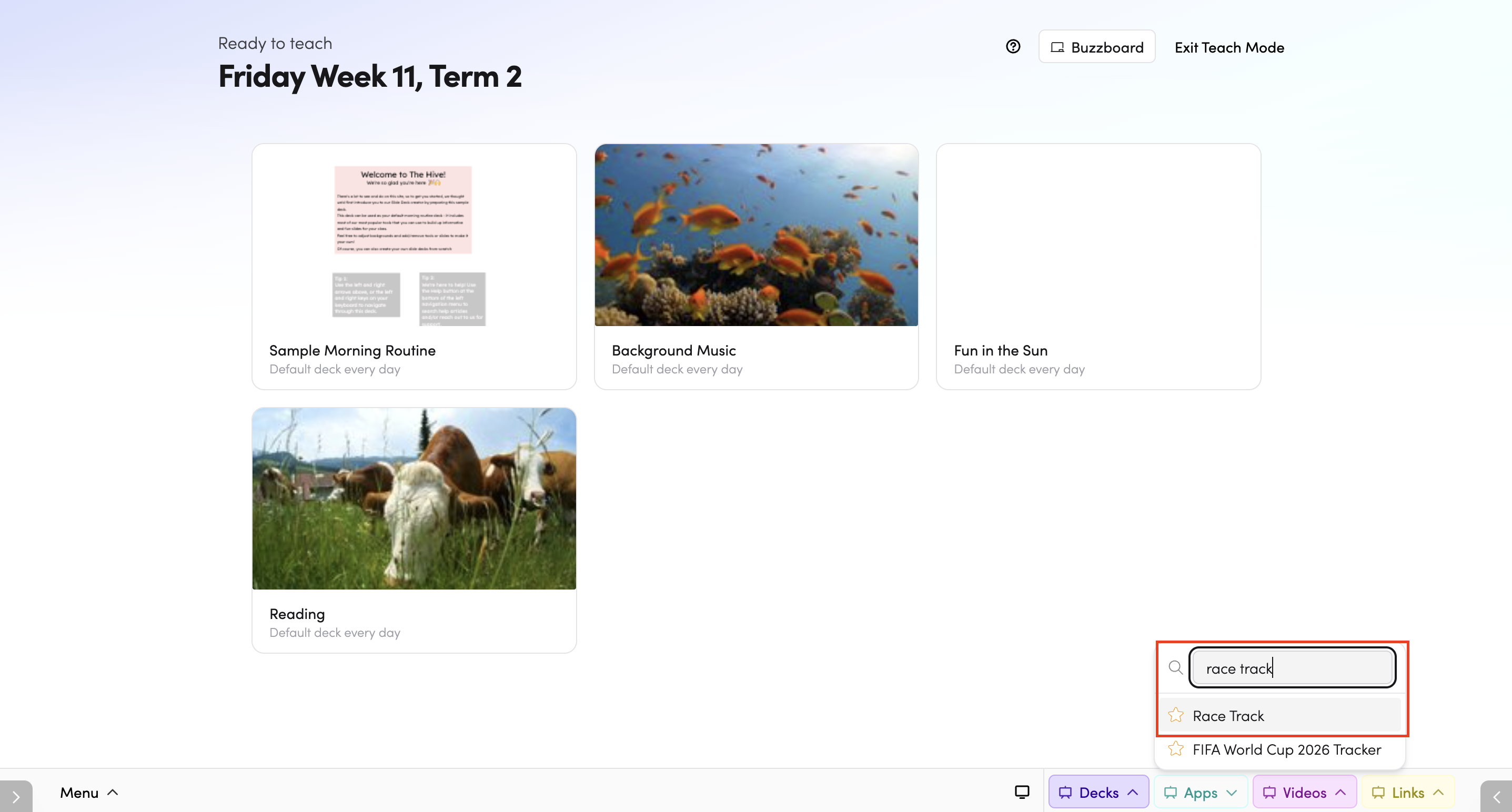
Through Teach Mode - open Race Track directly from the bottom bar of Teach Mode.
-
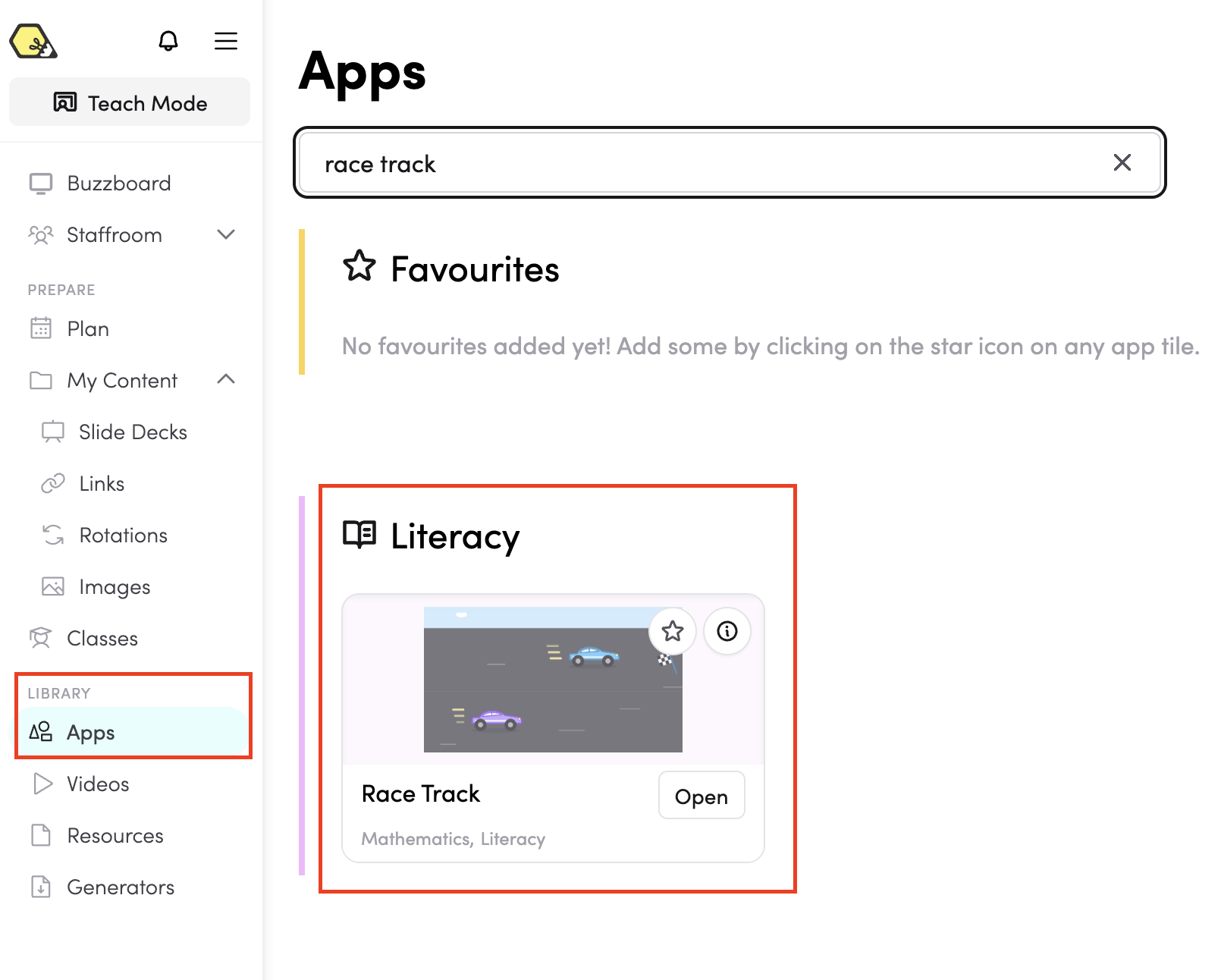
From the Apps library - browse or search for Race Track in the Apps library.
-
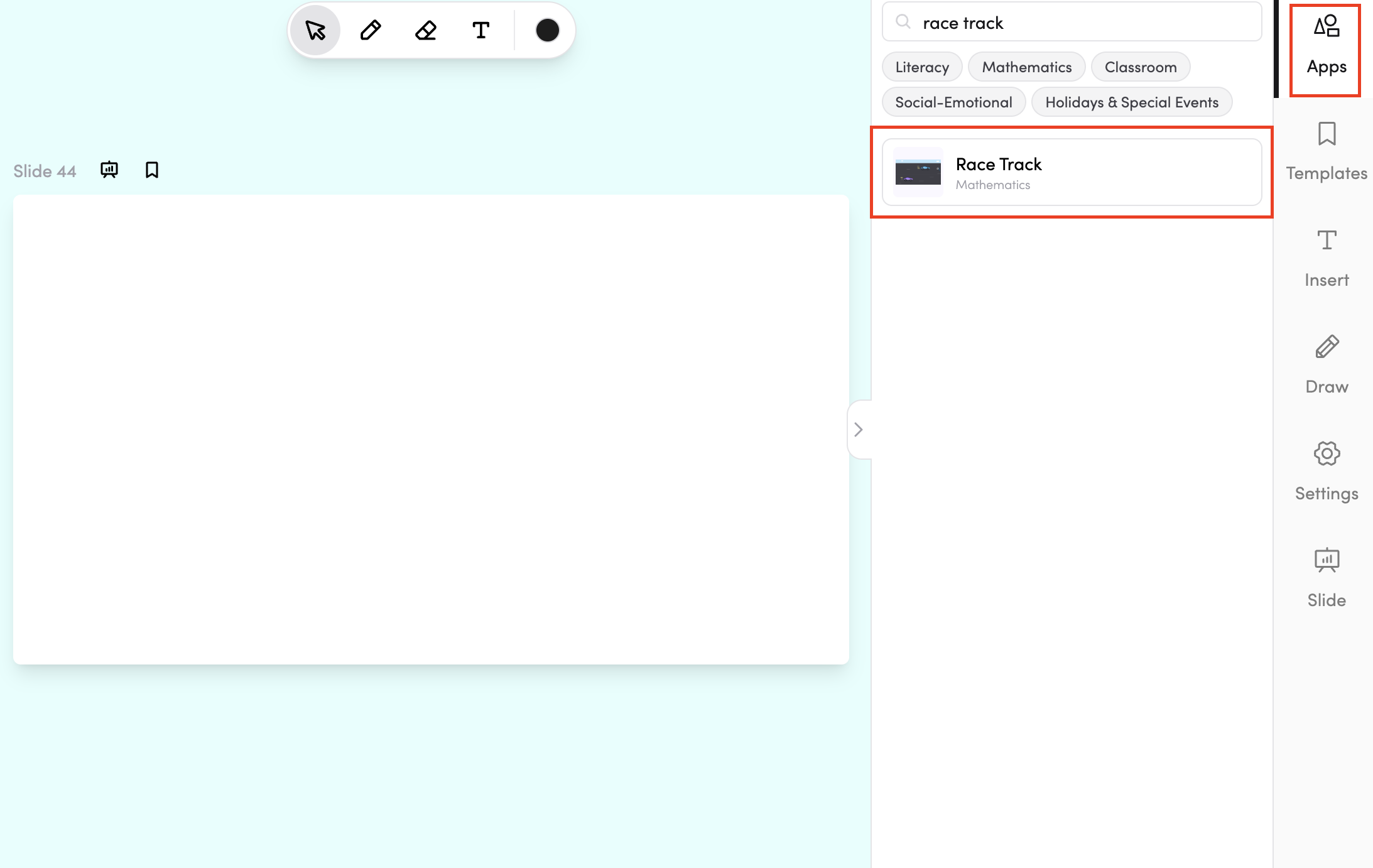
In your slide deck - search for Race Track in the apps panel on the right and tap it to drop it onto your slide. From there, you can move and resize it however you like.
How do I use Race Track?
All teams play at once, each answering their own questions by tapping their panel. A correct answer gives the car a speed-boost lurch and a puff of dust, moving it along its lane.

A wrong answer causes a quick skid and stall - the car doesn't move backwards, and the same question stays on screen for the team to try again.

When a car is one correct answer from the finish, a waving checkered flag appears, signalling one more to win. The first car across the line bursts across the finish with confetti and a banner while the other cars stay on track. A shared race-finished panel then replaces the question panels, with options to Play again or Change settings.

Each team's questions are shuffled independently, so students can't copy an answer from a neighbouring panel.
Ways to play
- On an interactive whiteboard (recommended) - Race Track works best on a classroom interactive whiteboard, where teams of students - or several individual student can step up and tap their own panels at the same time.
- As a whole class - set up a single team and work through the questions together, aiming to get every answer correct and reach the finish line as a class. A great way to introduce the app before letting teams compete.
Setting up a game
Open the setup panel on the side of the screen.
-
Teams - Race Track is played by two to four teams. Name each team and use its colour swatch — each team drives a car in its own colour. Tap Add team to add another team, or tap the ✕ next to a team to remove it.
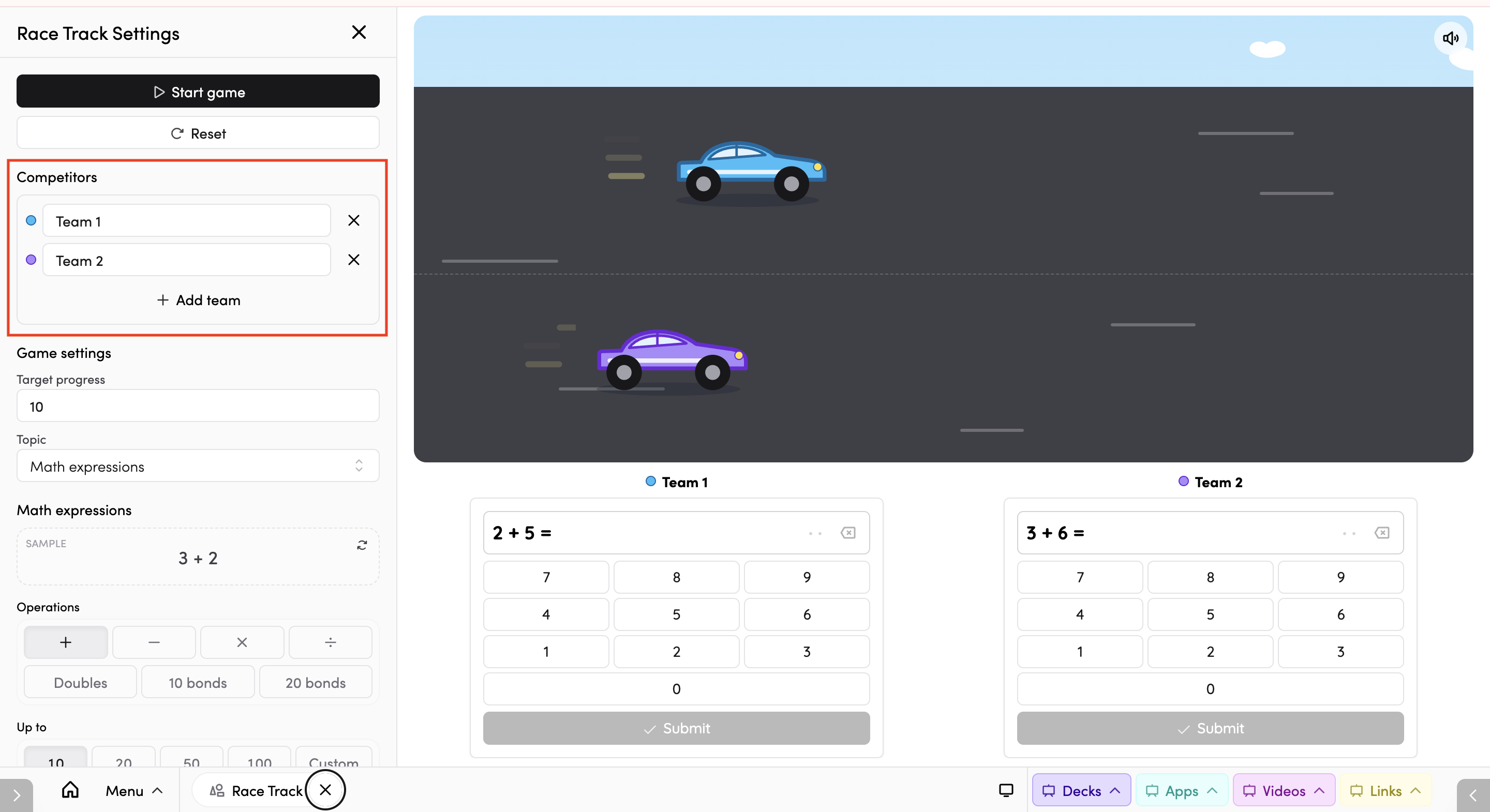
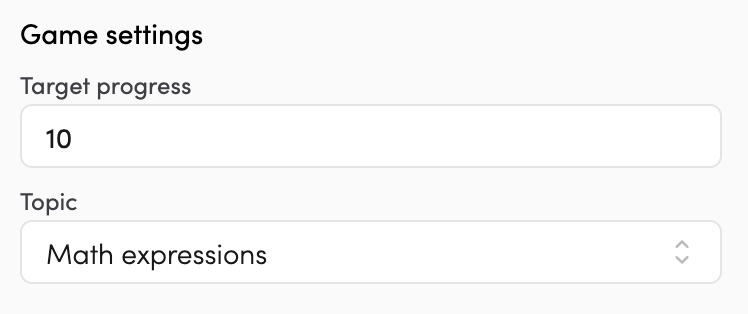
- Target progress - choose how many spaces a car needs to travel to reach the finish. The default is 10.
-
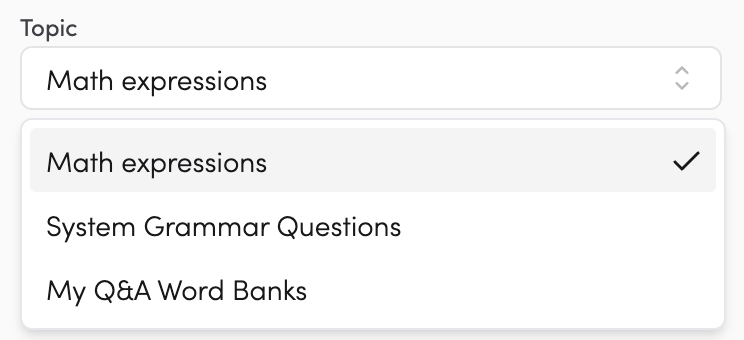
Topic - use the dropdown to choose what teams will be answering. Because teams answer by tapping, your topic needs tap-able answers.
There are three topic options:
-
Math expressions - auto-generated maths questions answered on a number pad. Choose your operations (Addition, Subtraction, Multiplication, Division, Doubles, Bonds of 10, Bonds of 20) and set the number range.
-
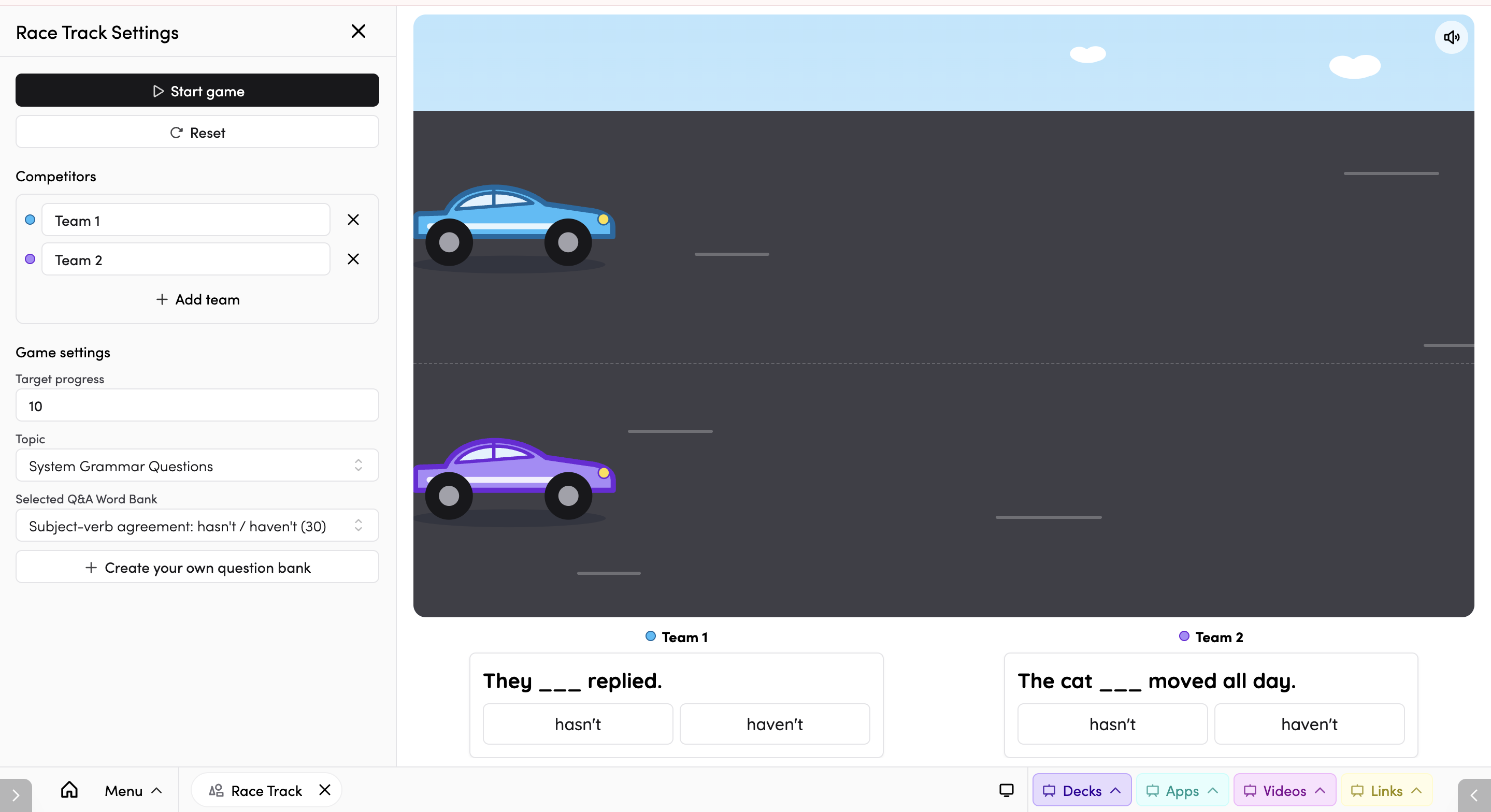
Grammar questions - ready-made question banks provided by The Hive, answered with tap buttons.
-
My Q&A Word Banks - your own question banks, answered with tap buttons. Pick an existing one, or tap Create question bank to build a new one.
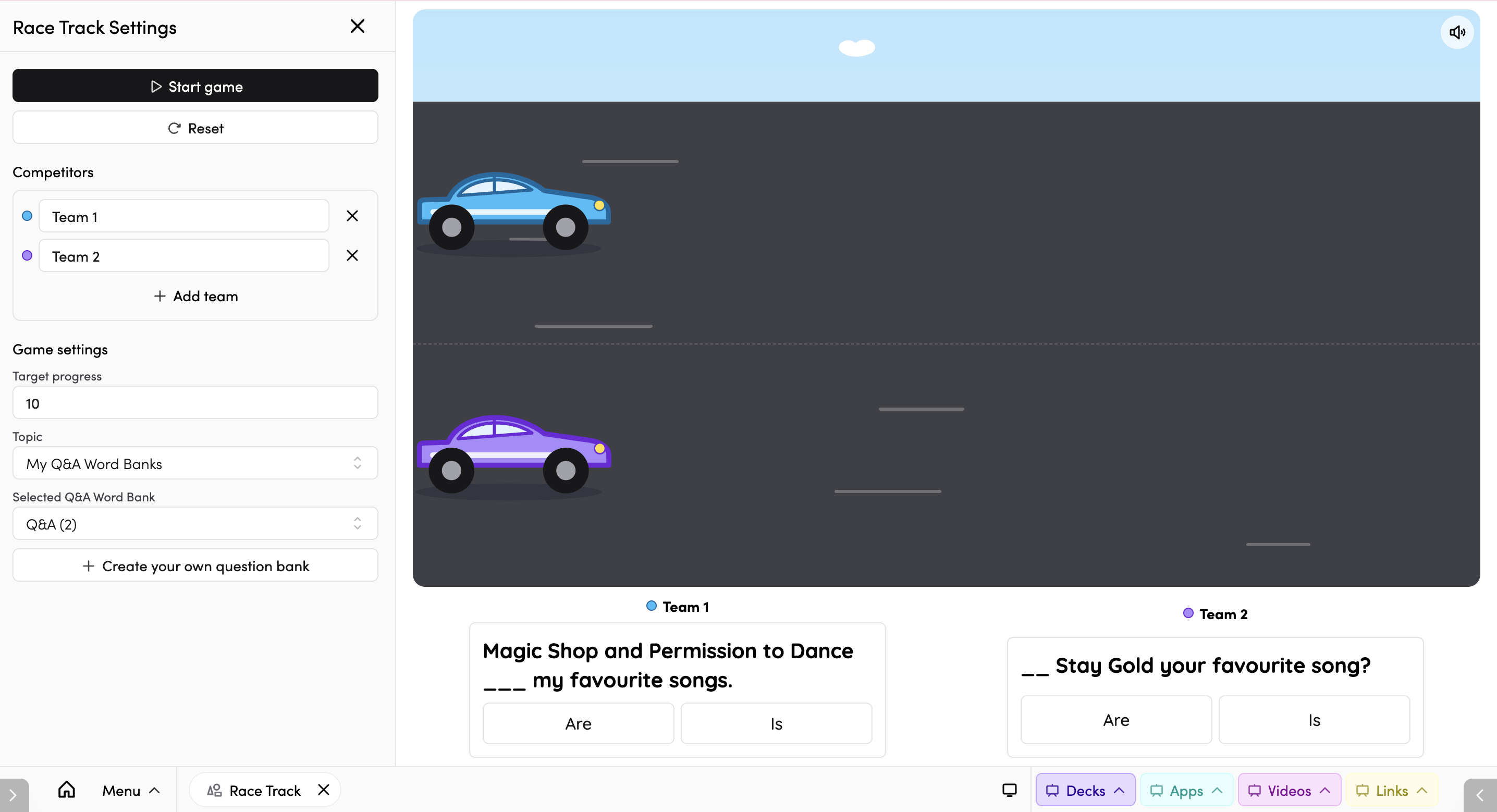
Note: question banks need six or fewer different answers to work in Race Track. Banks with too many answers appear greyed out - choose a smaller bank, or use Math expressions instead.
Once you're happy with your settings, tap Start game. A 3 – 2 – 1 – GO! countdown plays, and every team's panel stays locked until "GO!" so all cars start together.
Tips
- Use a whiteboard so teams can tap their own panels at the same time.
- Keep question banks small - six or fewer different answers - so the tap buttons work.
- Try whole-class play first with a single team to introduce the app before letting teams compete.
- Shorten the track with a lower target for a quick game, or lengthen it for a longer race.
-
You can add Race Track to your favourite apps by tapping the star icon.
- You can connect Race Track to subjects in your timetable by tapping the timetable icon. Read more about timetable connections here.
