
How do I quickly update all cells in a Tracker column?
Use bulk actions to update every cell in a column at once - much faster than clicking each cell individually.
Available bulk actions
Access bulk actions via each column header:
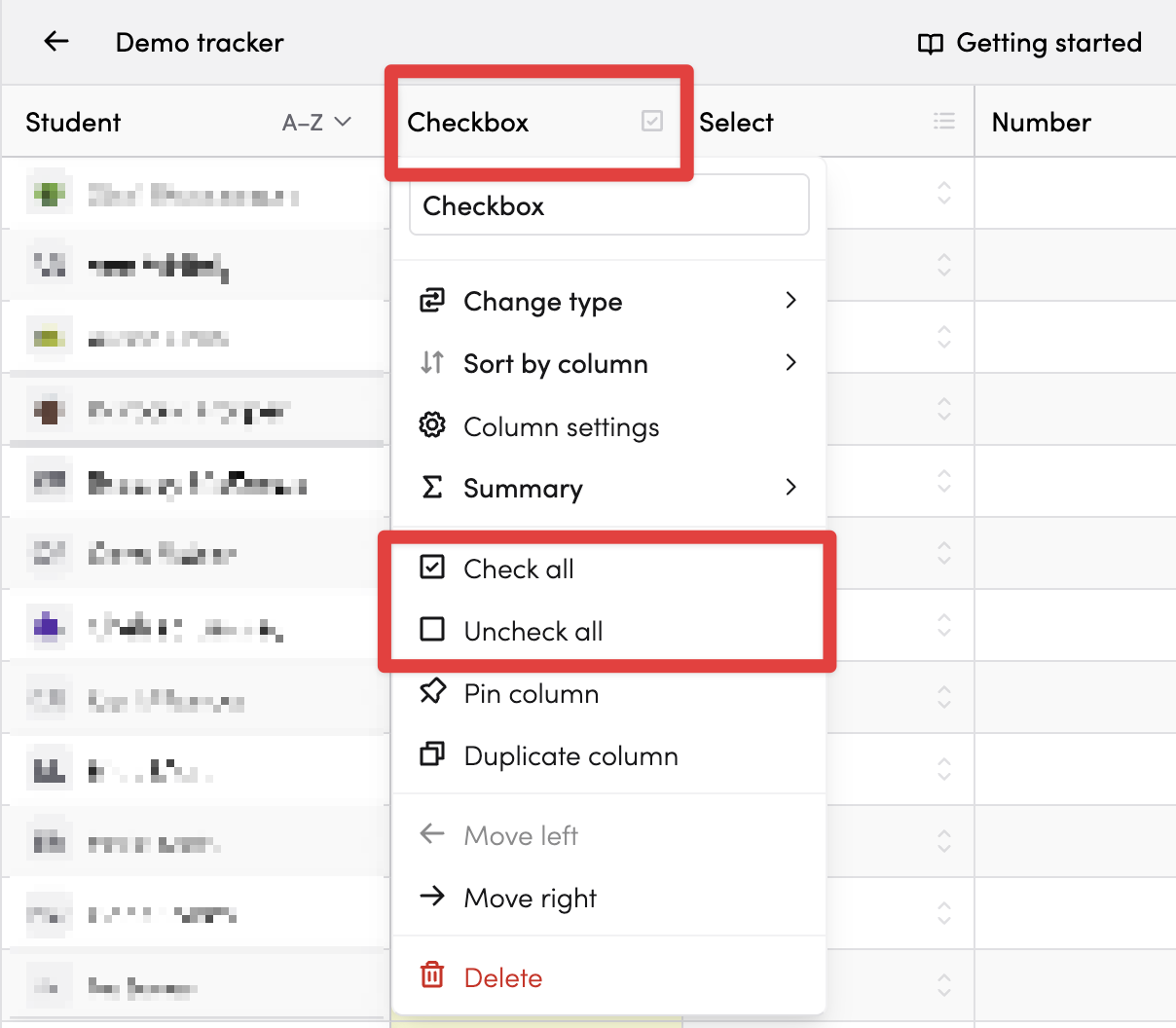
For checkbox columns
- Check all: Ticks every checkbox in the column
-
Uncheck all: Clears every checkbox (requires confirmation)
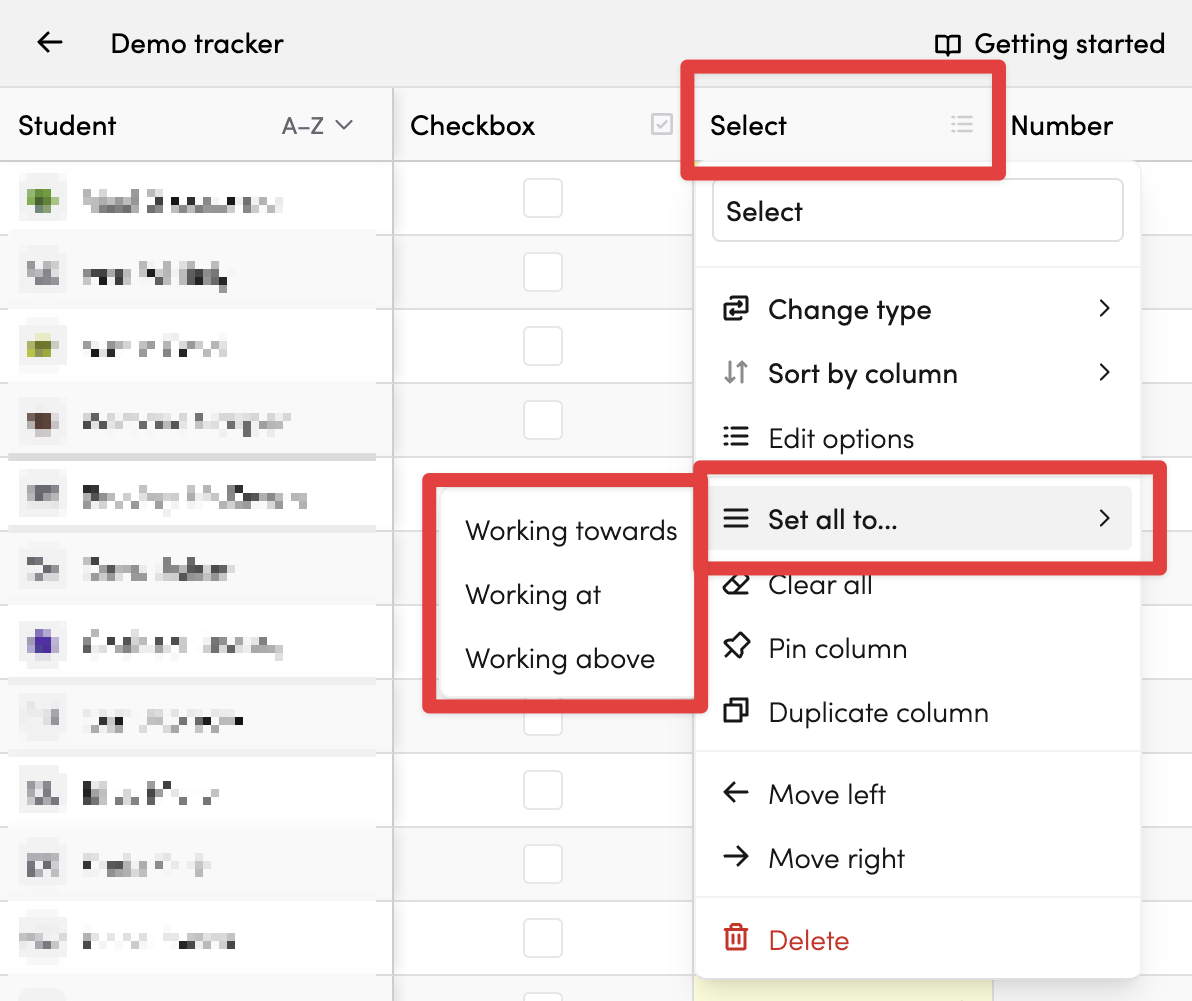
For select columns
- Set all to...: Opens a submenu with your options - choose one to apply it to all students
-
Clear all: Removes the selection from all cells (requires confirmation)
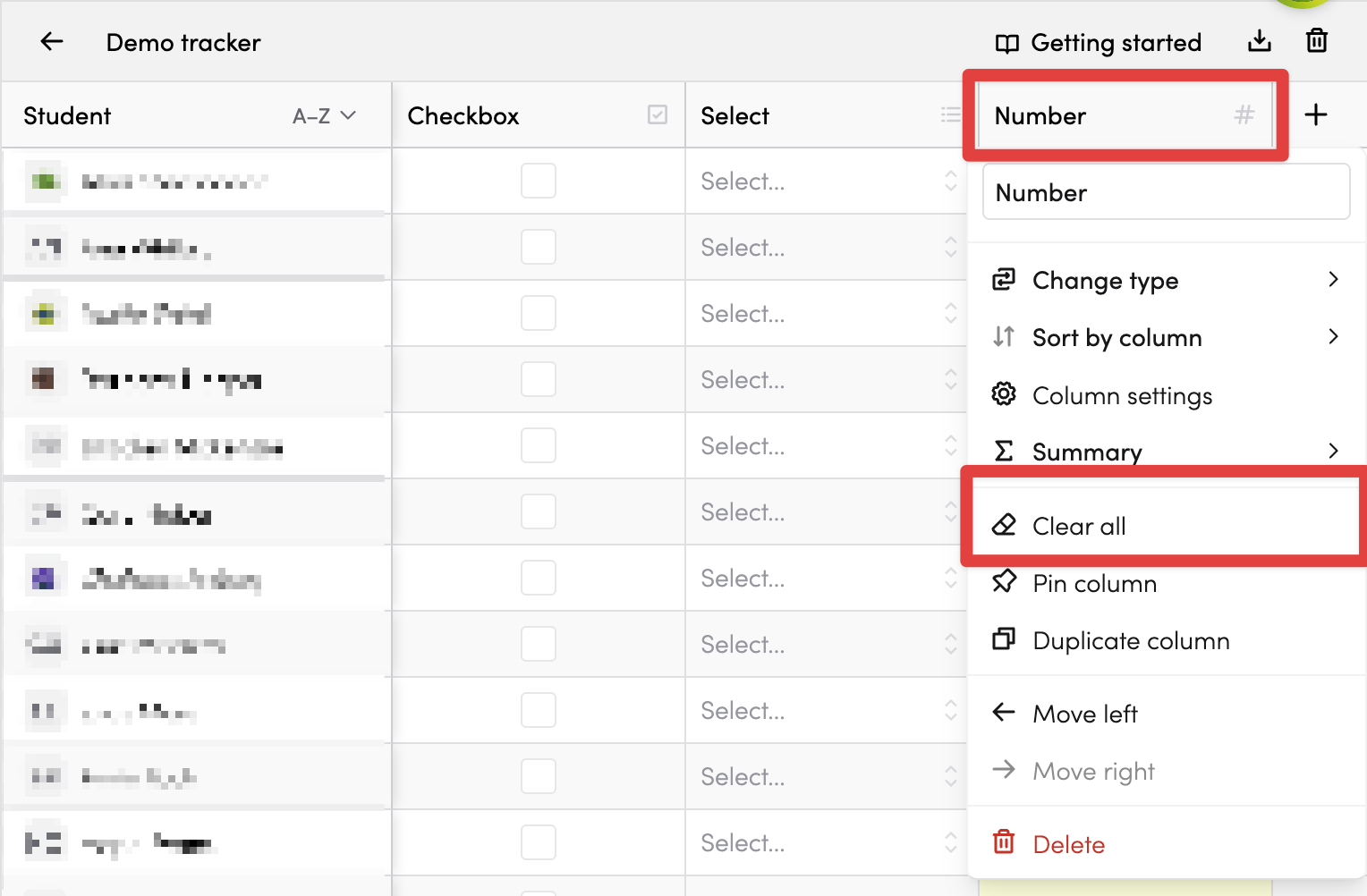
For all columns
-
Clear all: Empties all cells in the column (requires confirmation)
Confirmation for destructive actions
Actions that remove data (Uncheck all, Clear all) ask for confirmation first to prevent accidents.
Tips
- Use Check all at the start of a new period, then uncheck as needed
- Use Set all to to quickly assign everyone to a default group
- Bulk actions only affect visible students - removed students are not changed