World Cup Kickoff
World Cup Kickoff is a competitive maths and literacy game where two teams go head-to-head on the football pitch. Choose your favourite countries, set your topic, and the first team to score enough goals wins - a fun way to practise skills with the whole class.
How do I access World Cup Kickoff?
You can access World Cup Kickoff in three ways:
- Through Teach Mode - open World Cup Kickoff directly from the bottom bar of Teach Mode.
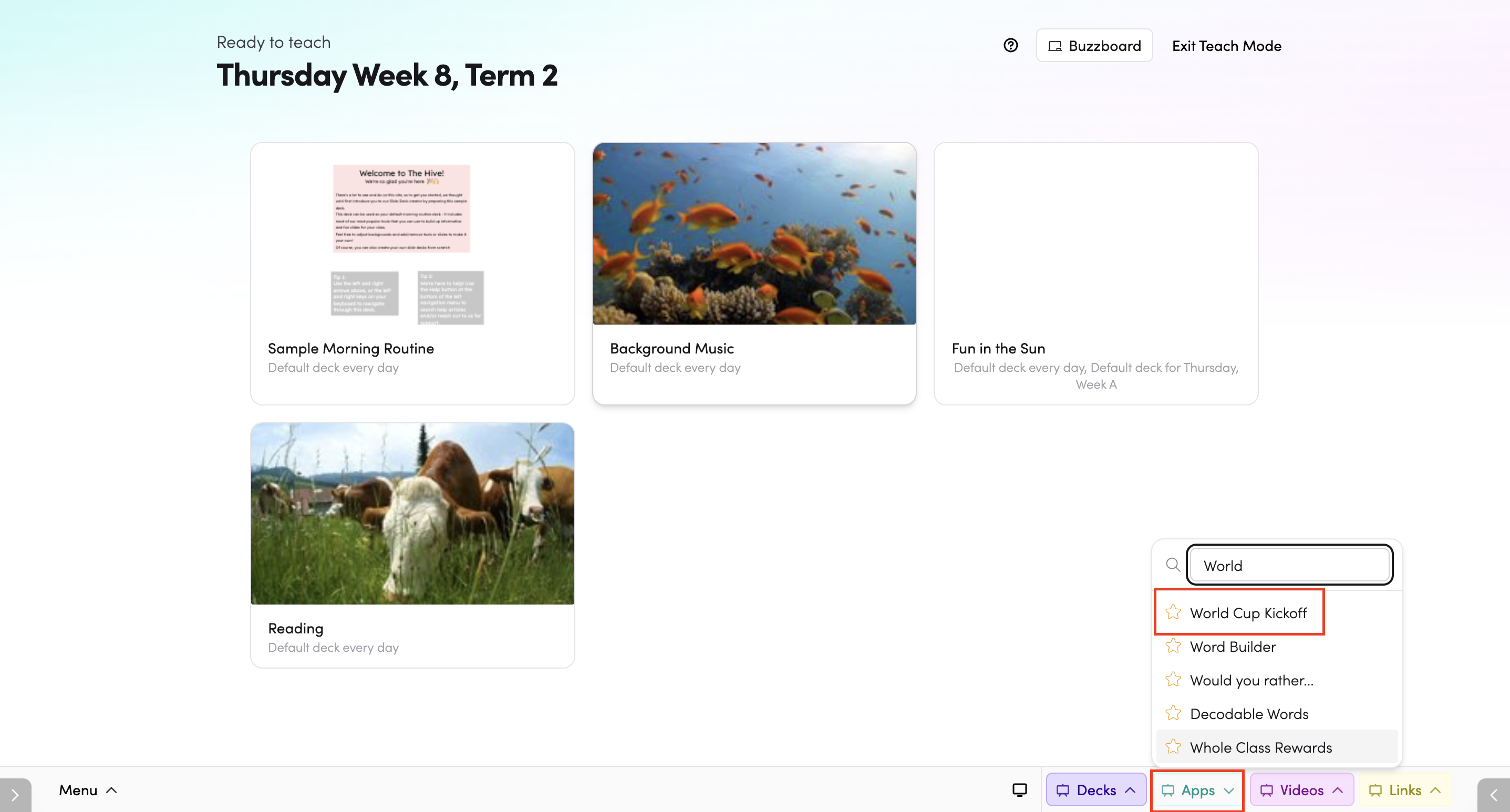
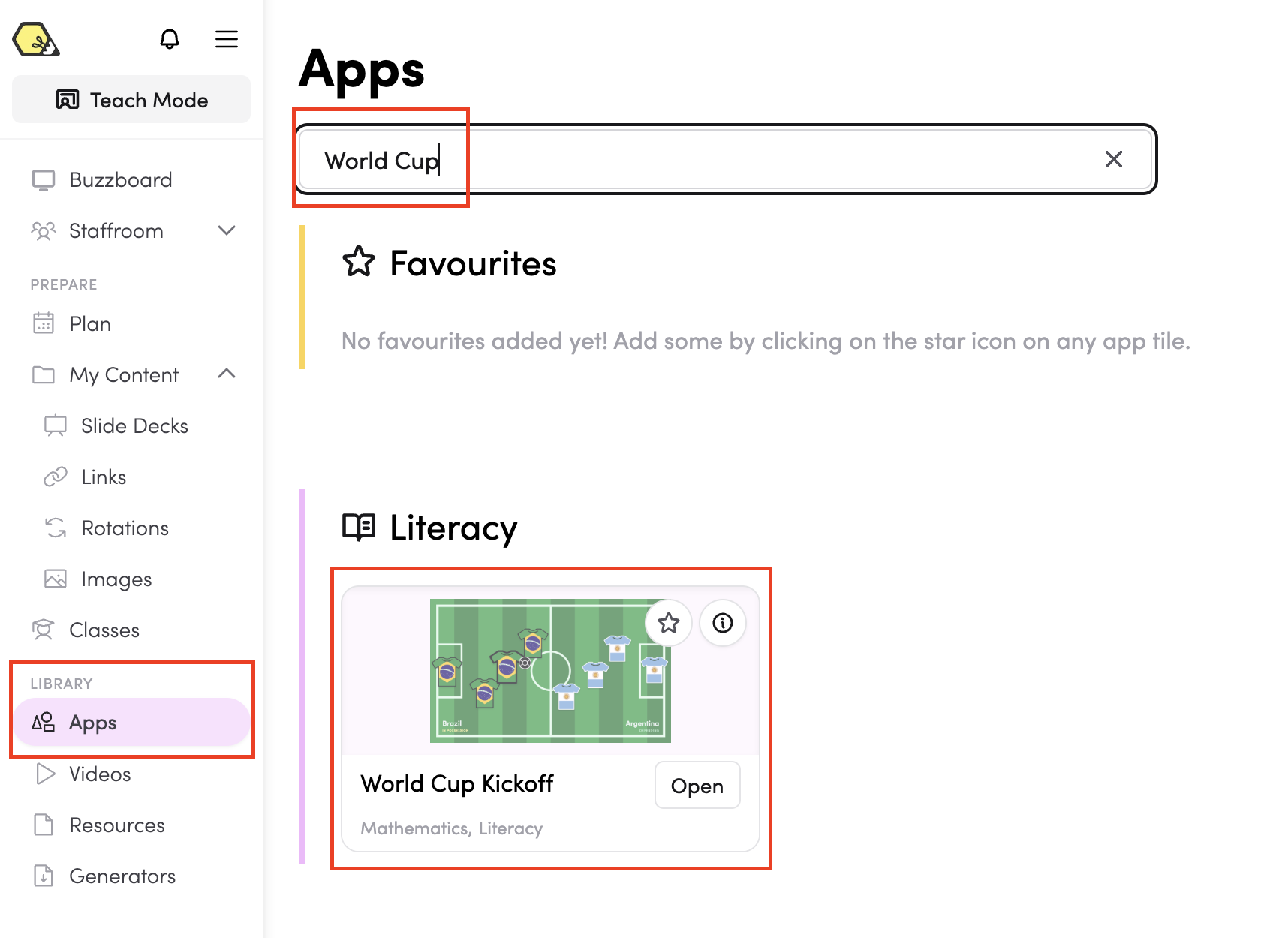
- From the Apps library - browse or search for World Cup Kickoff in the Apps library.
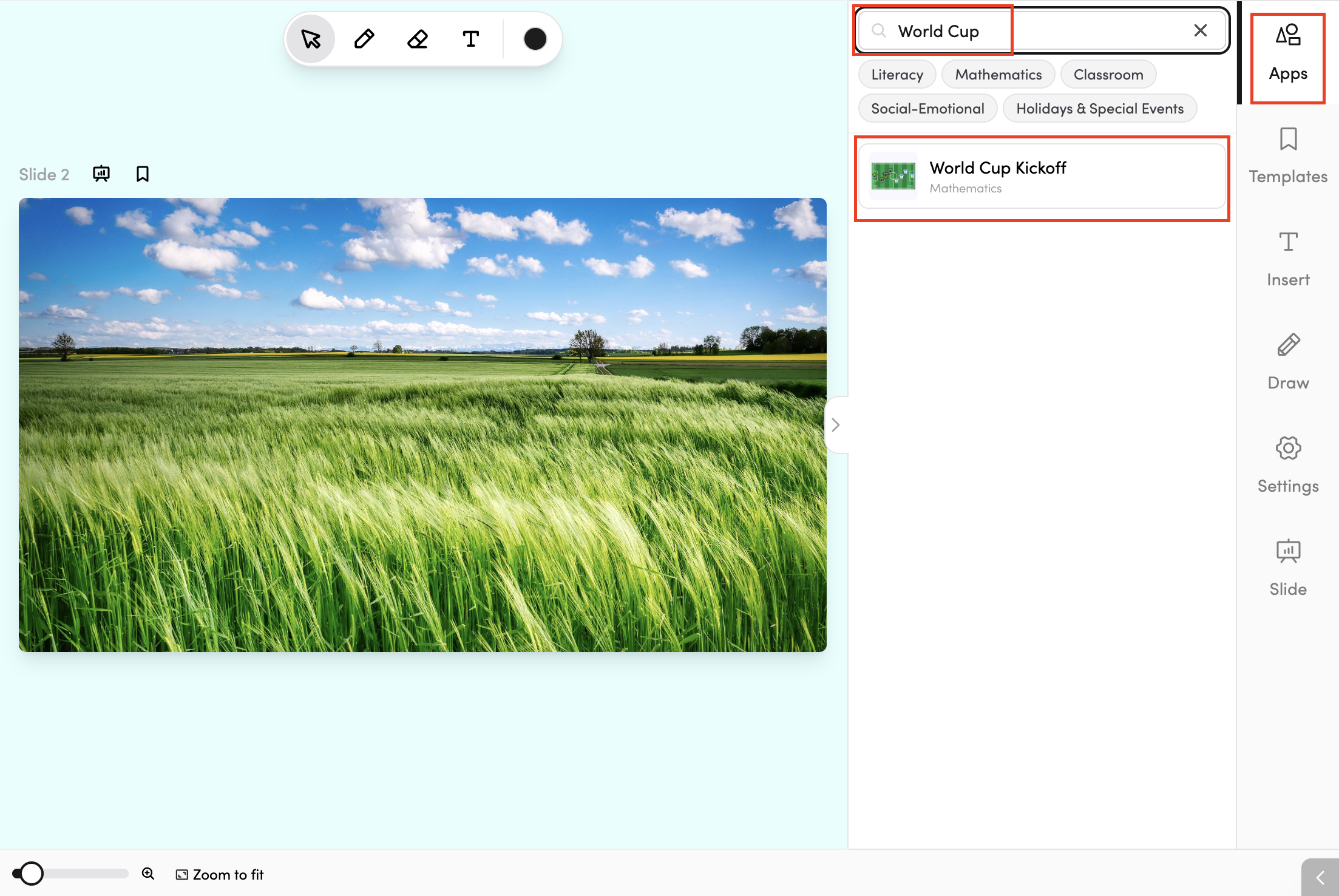
- In your slide deck - search for World Cup Kickoff in the apps panel on the right and tap it to drop it onto your slide. From there, you can move and resize it however you like.
How do I set up a game?
Before starting, set up your game using the panel on the left:
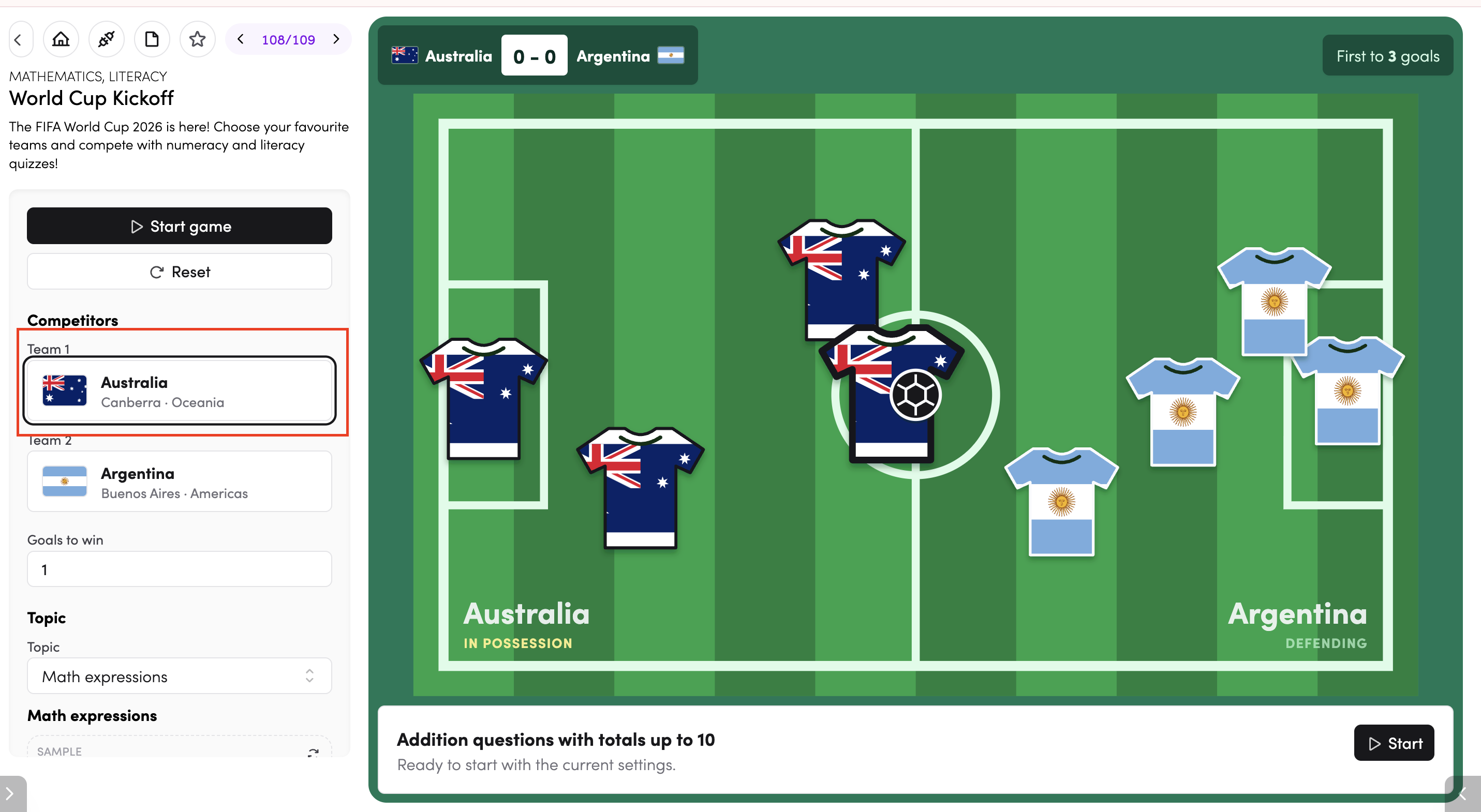
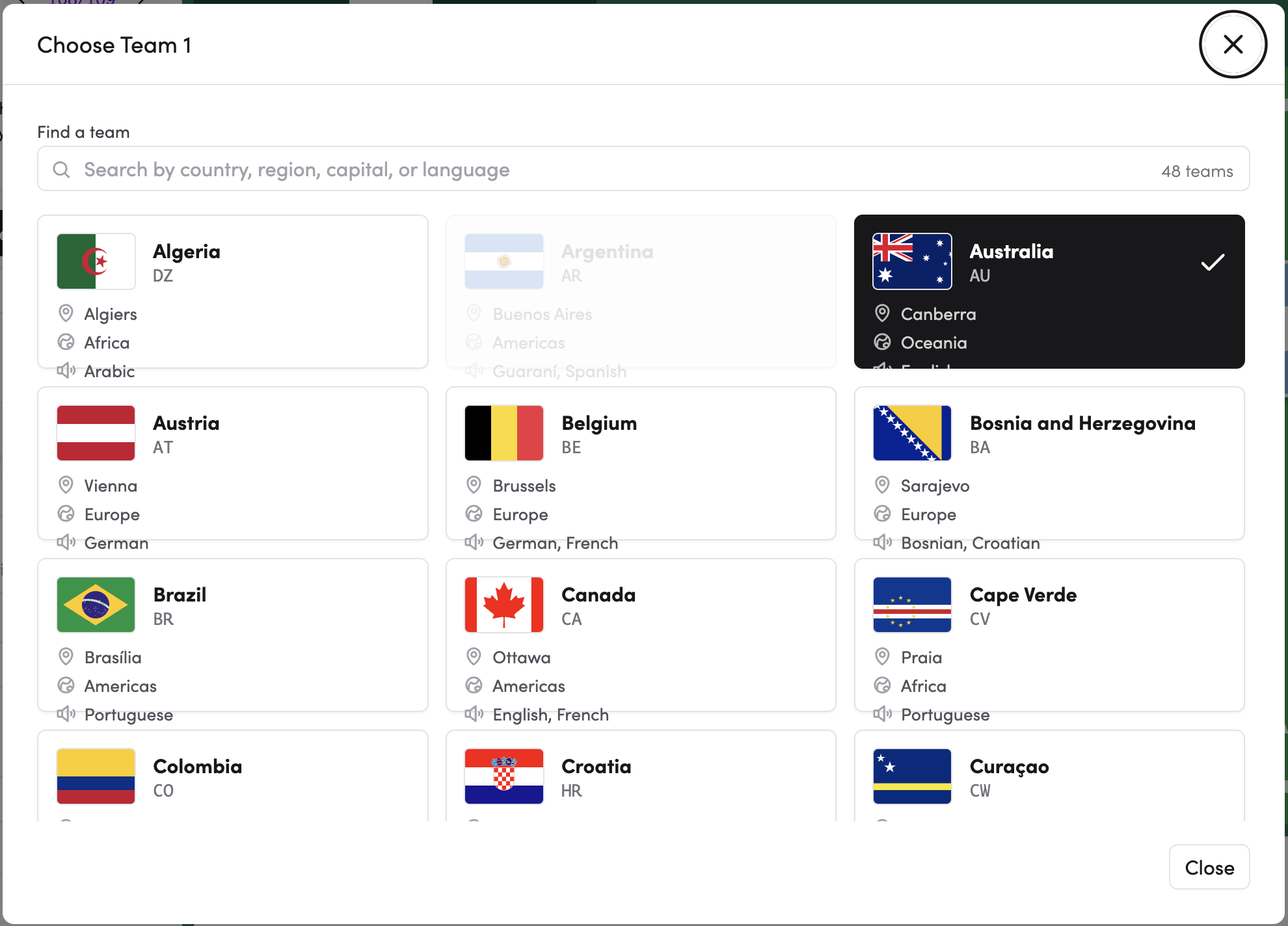
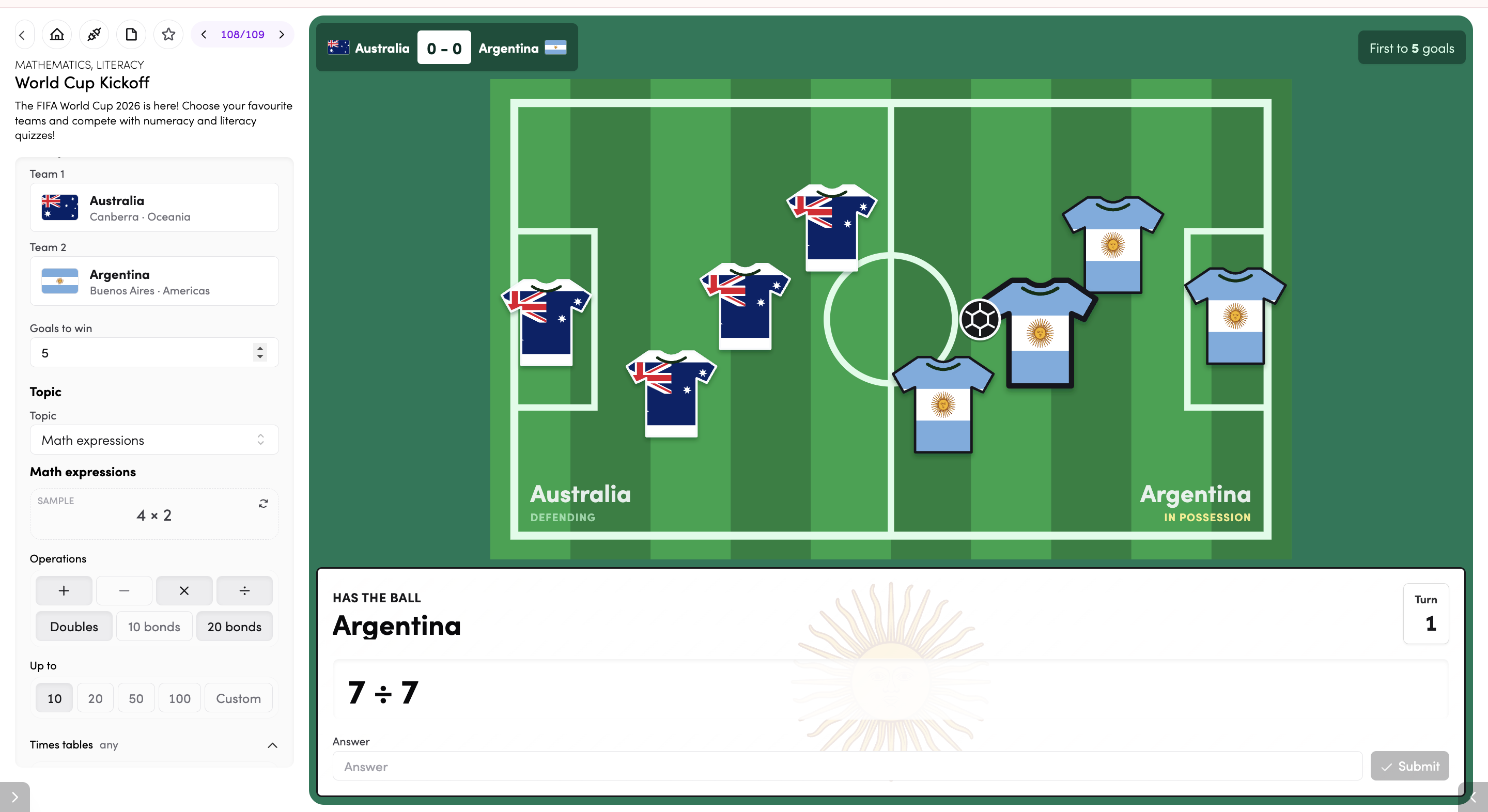
- Team 1 and Team 2 - tap either team to open the team picker. Search by country, region, capital, or language to find a team from the 48 available nations. Each team's flag, country code, capital, and region are shown to help you choose.
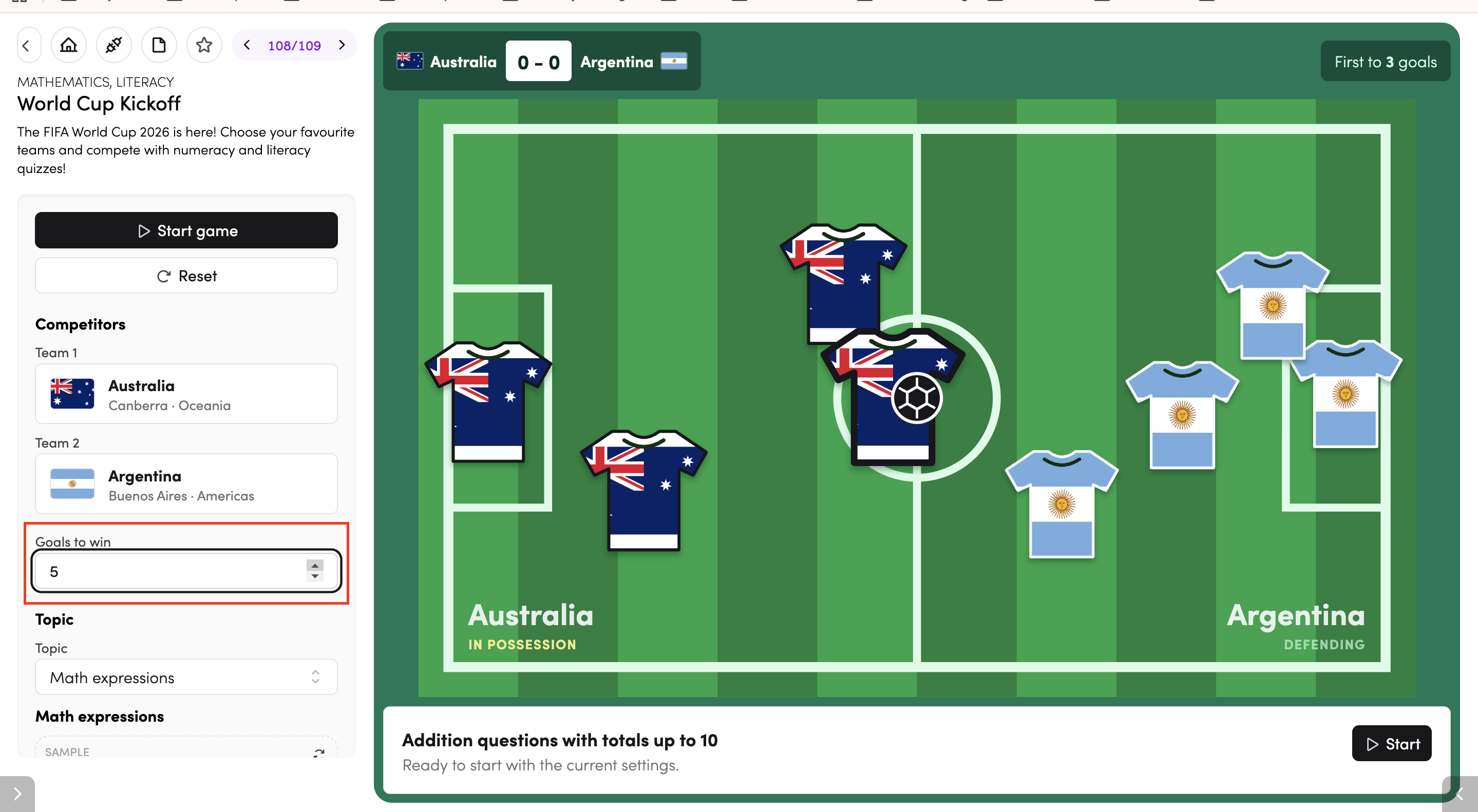
- Goals to win - set how many goals a team needs to score to win the game. Use the arrows to increase or decrease the number.
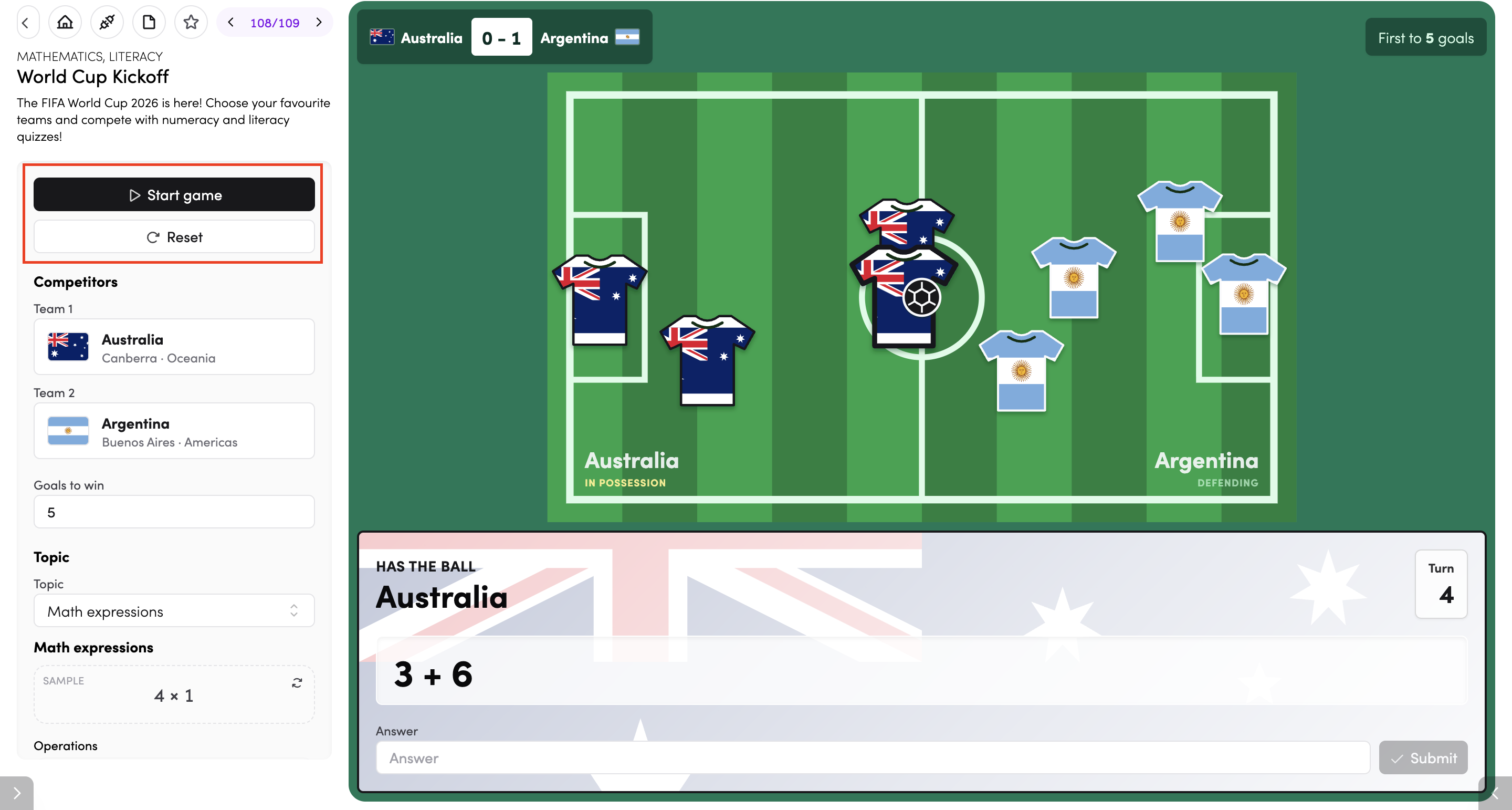
Once you're happy with your settings, tap Start game to begin. Tap Reset to clear the score and start a new match with the same settings.
How does the game work?
Each turn, the team 'in possession' is shown at the bottom of the screen along with a question. Players type their answer into the answer box and tap Submit. A correct answer scores a goal for that team — the ball moves up the pitch and the score updates at the top. Teams take turns until one side reaches the goals-to-win target.
How do I choose a topic?
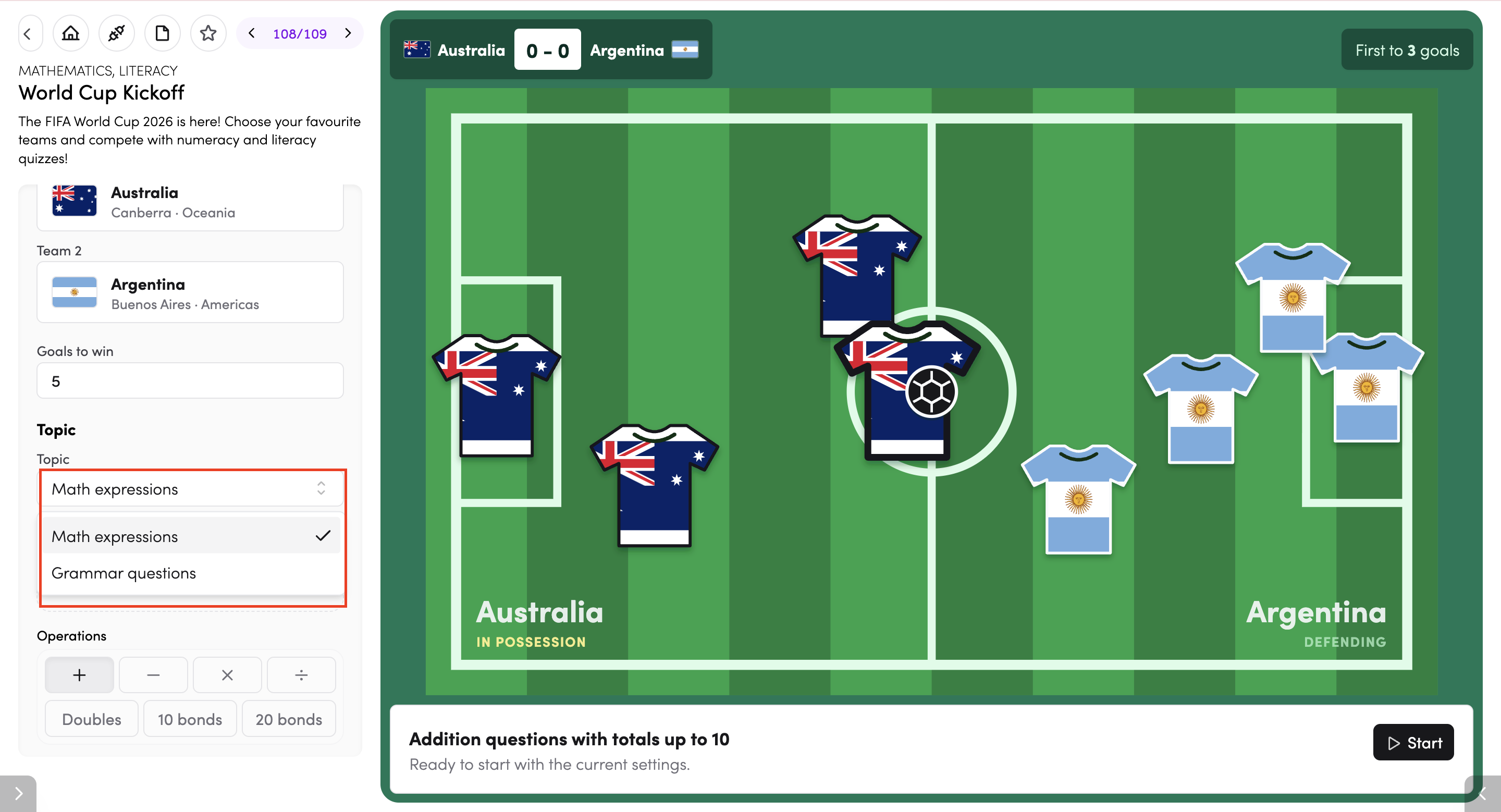
Under Topic, use the dropdown to choose between:
- Math expressions - students answer maths questions based on the operations and number range you select.
- Grammar questions - students answer literacy-based grammar questions.
Math expressions settings
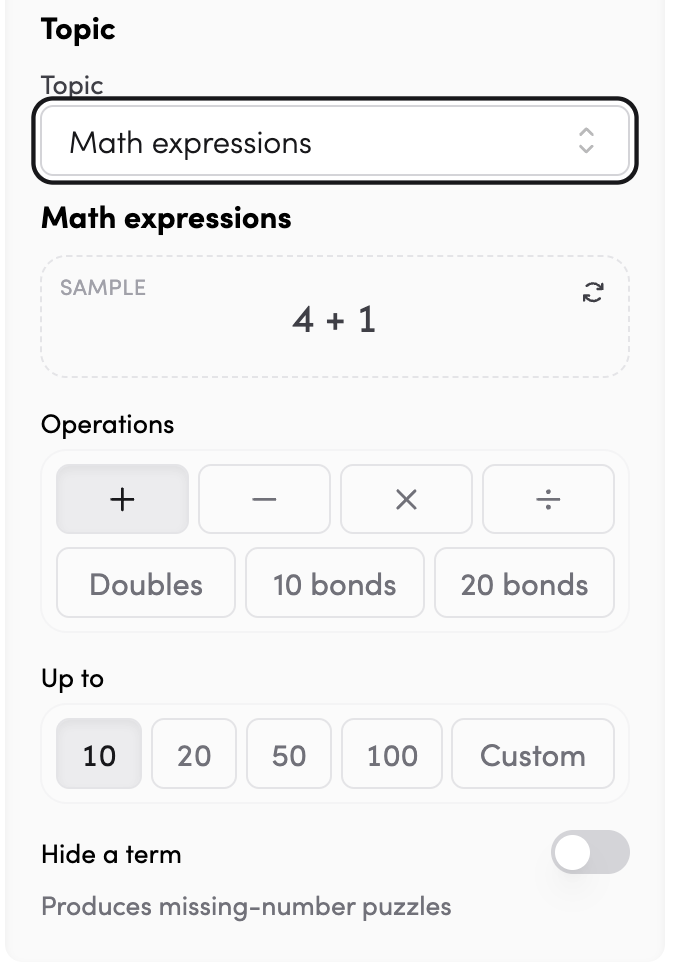
When 'Math expressions' is selected, you can customise the questions further:
- Operations - choose one or more: +, −, ×, ÷, Doubles, 10 bonds, or 20 bonds. Tap an operation to select or deselect it.
- Up to - set the number range for answers: 10, 20, 50, 100, or Custom.
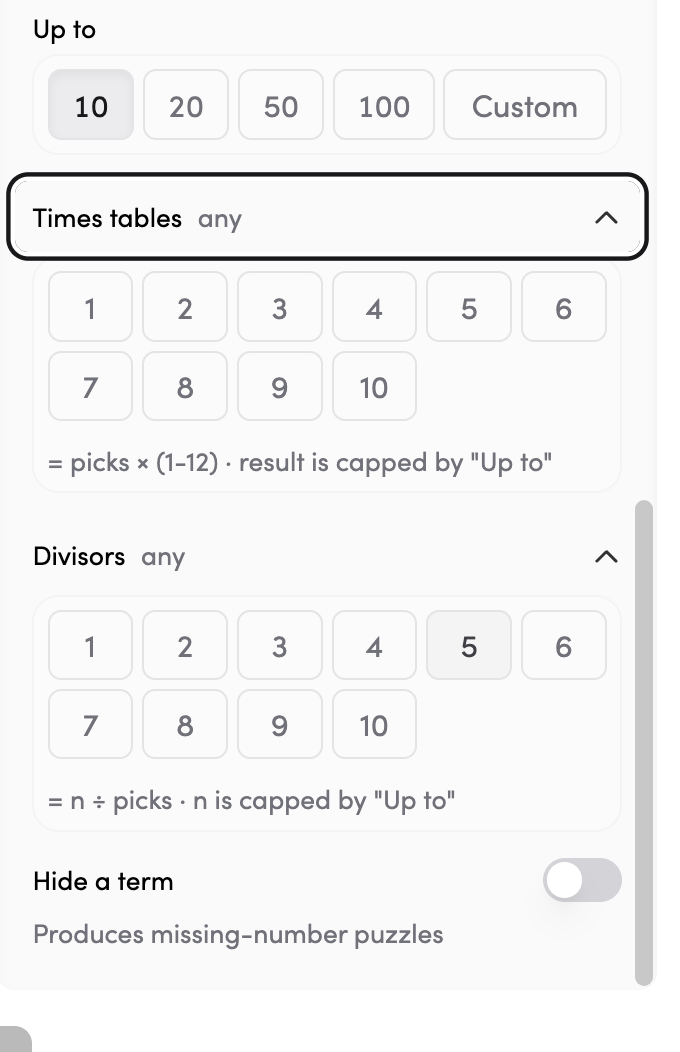
- Times tables - select specific times tables to focus on (1–10). The result is capped by the 'Up to' value.
- Divisors - for division questions, select which divisors to use (1–10). The starting number is capped by the 'Up to' value.
- Hide a term - turn on to remove one number from the equation, turning it into a missing-number puzzle.
Tips
- Tap the star icon to add World Cup Kickoff to your favourite apps.
- Tap the timetable icon to connect World Cup Kickoff to your timetable. (Read more about timetable connections here)